
❓ What is MCP?
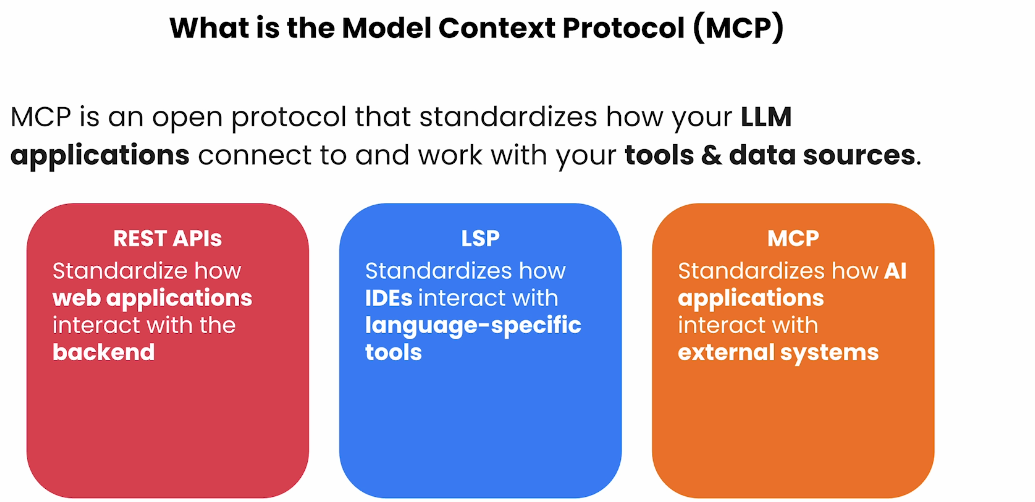
The Model Context Protocol (MCP) is like a universal adapter for AI applications. It provides a standardized way for AI models to connect with various tools and data sources, enabling them to access and utilize external information seamlessly. Think of it as a "USB port" for AI, allowing easy plug-and-play integration with different resources.
💡 Why Use MCP?
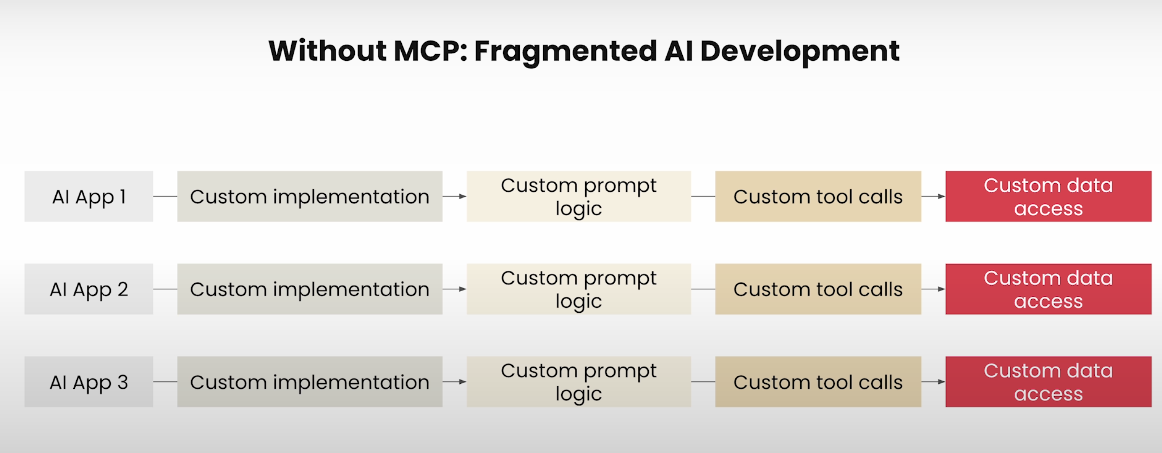
Traditionally, integrating AI models with external data sources required custom solutions for each case, leading to complexity and redundancy. MCP addresses this by offering:
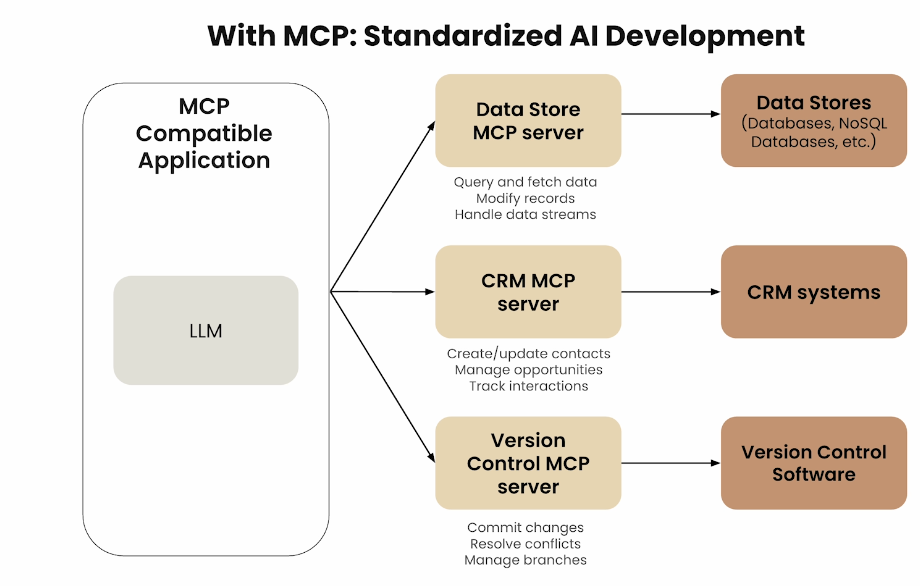
- Standardization: A unified protocol for connecting AI models to various tools and data sources.
- Flexibility: Support for multiple programming languages and platforms.
- Scalability: Easier expansion and maintenance of AI applications.([Model Context Protocol][2], [DeepLearning.ai][3])
🏗️ MCP Architecture Explained
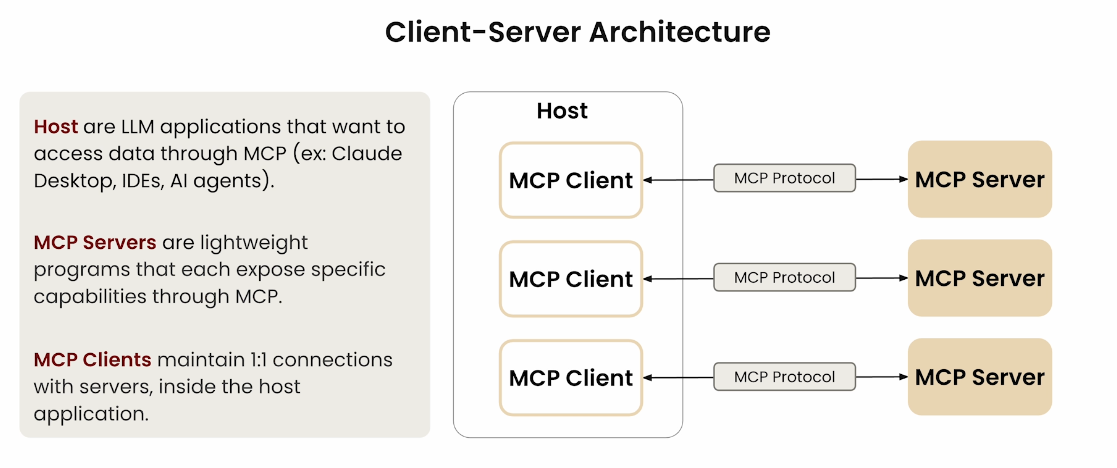
MCP operates on a client-server architecture comprising three main components:([Medium][4])
- Host Process: The AI-powered application or environment (e.g., Claude Desktop) that users interact with.
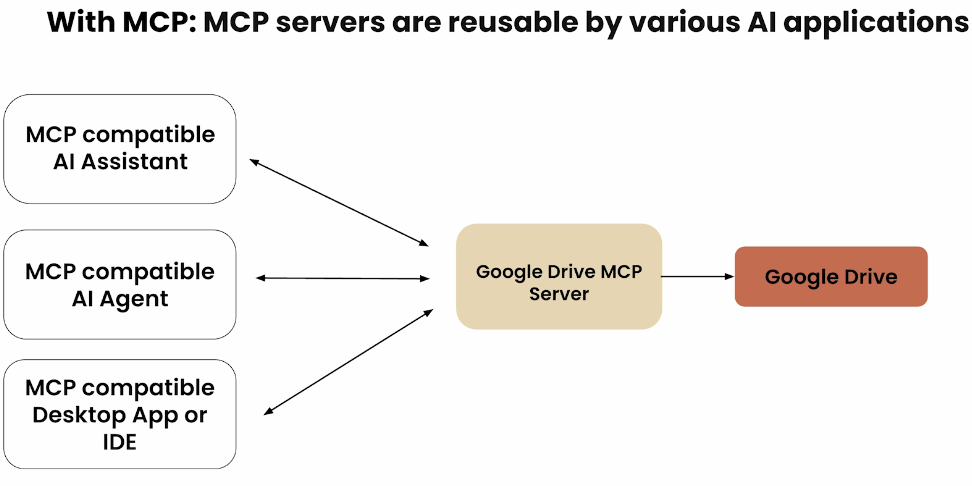
- MCP Clients: Intermediaries that handle communication between the host and MCP servers. Each client connects to a specific server, ensuring secure and isolated interactions.
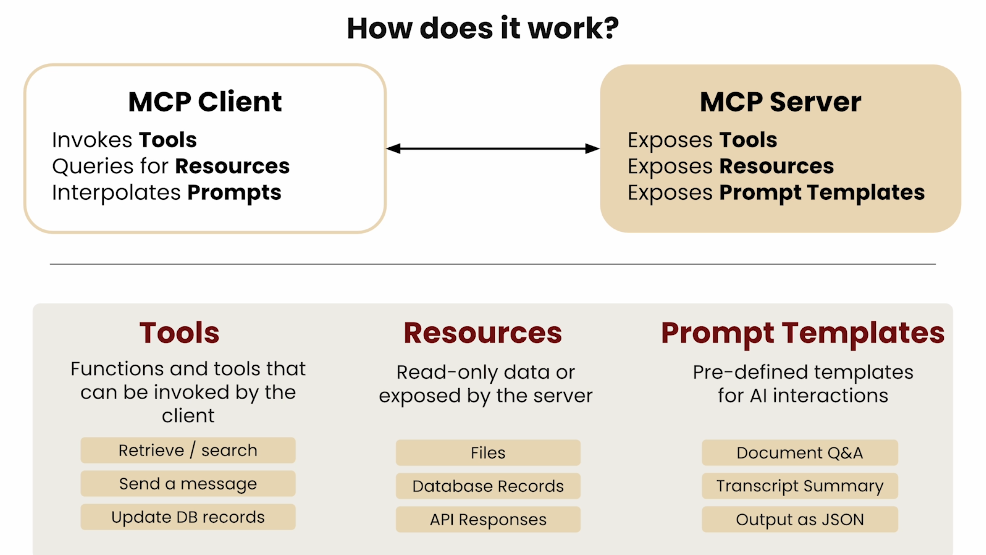
- MCP Servers: External programs that implement the MCP standard, providing specific capabilities or data to the AI application
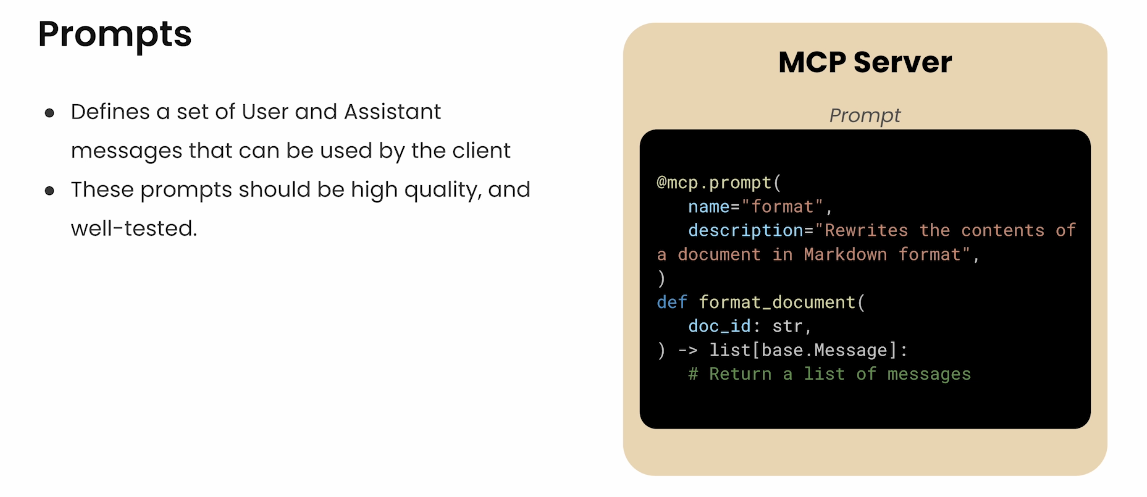
MCP Server Define
Lifecycle
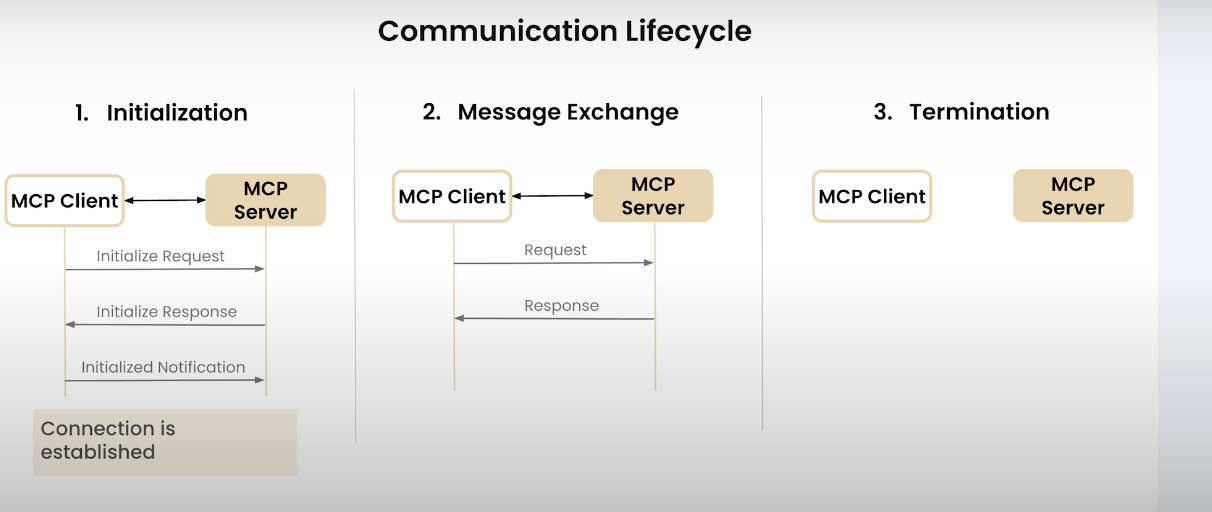
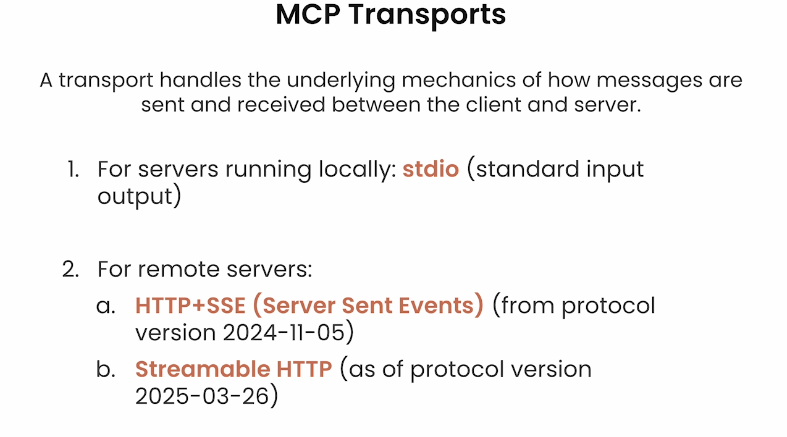
This architecture allows AI applications to dynamically access and utilize external resources, enhancing their functionality and responsiveness
🛠️ Project Overview
- Explored MCP: Understanding its purpose, architecture, and benefits.
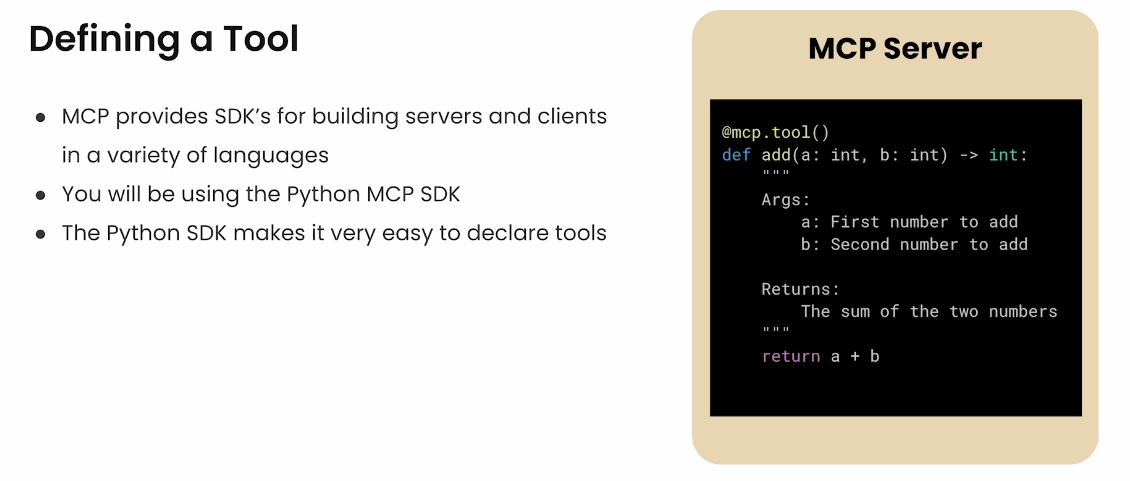
- Built an MCP Server: Creating a server that provides specific tools or data to AI applications.
- Developed an MCP Client: Implementing a client that connects the AI application to the MCP server.
- Integrated with AI Applications: Connecting our MCP setup to AI applications like Claude Desktop.
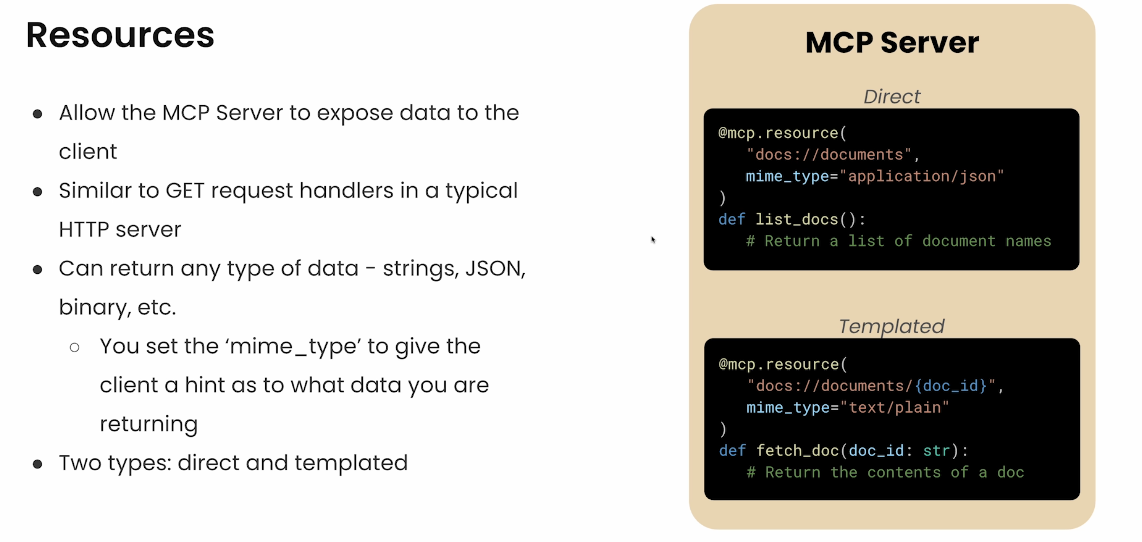
- Enhanced Functionality: Adding features like prompt and resource handling to enrich AI interactions.
- Deployed Remotely: Setting up MCP servers on remote platforms for broader accessibility.
🚀 Getting Started
Prerequisites
- Programming Knowledge: Familiarity with Python or other supported languages.
- Development Environment: Set up with necessary tools and libraries.
- AI Application: Access to an AI application that supports MCP
Connect to AI Application:
Configure your AI application to connect with the MCP client, enabling it to access the tools and data provided by the MCP server.
🔍 Use Cases
- Enhanced Chatbots: AI chatbots that can access real-time data from external sources.
- Intelligent Assistants: AI applications that perform tasks like file management or data analysis by connecting to relevant tools.
- Context-Aware Systems: AI models that adapt their responses based on dynamic external information.
✅ Advantages of MCP
- Modularity: Easily add or remove tools and data sources without overhauling the entire system.
- Security: Isolated client-server interactions reduce the risk of unauthorized access.
- Efficiency: Streamlined integration process saves development time and resources.([The Verge][7])